What are Visibility Modes?
Visibility Modes let you control who can access key features of your server's economy — the shop, leaderboard, and backpack. Each feature can be set independently.
Written By Adam
Last updated 7 months ago
The Three Modes
Everyone (Default)
The feature is fully public. Any member of your server can access it, both in Discord and on the web dashboard.
Moderator Only
The feature is restricted to moderators and administrators. Regular members will see a message telling them the feature is currently restricted. This is useful when you want to soft-launch a feature or keep certain information private from regular members.
Disabled
The feature is completely turned off for everyone. Members won't be able to access it at all.
What Can Be Controlled
There are three features you can apply visibility modes to:
Shop
Controls who can browse and purchase items from your server's shop.
Leaderboard
Controls who can view the points leaderboard and member balances.
Backpack
Controls who can view a member's purchase history.
How to Configure Visibility Modes
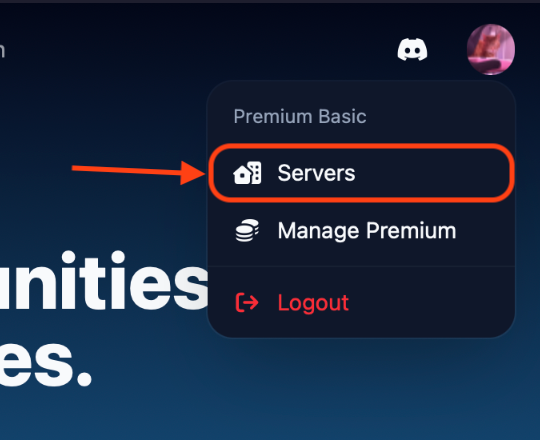
Go to the Points dashboard and click your avatar in the top right, then select Servers
Click on the server you want to configure
You'll land on the Leaderboard page. Head to the “Settings” page
You'll land on the Settings page. Scroll down to find the Shop Visibility, Leaderboard Visibility, and Backpack Visibility cards
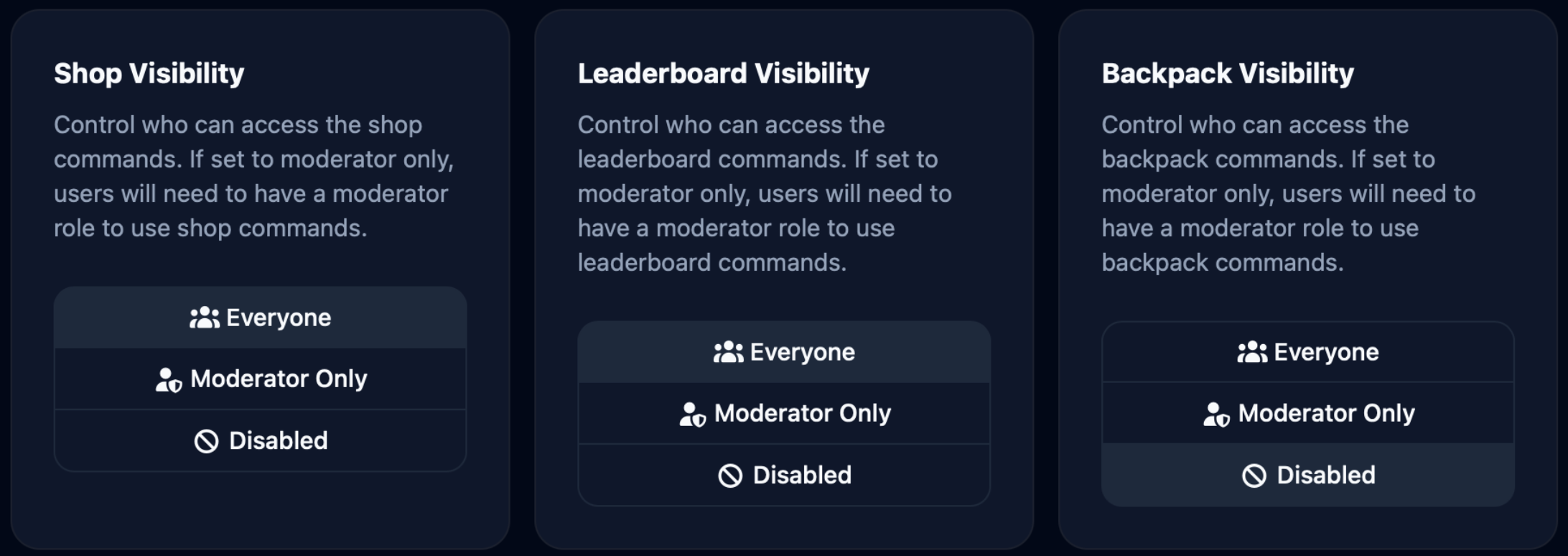
For each feature, select Everyone, Moderator Only, or Disabled
Make sure to save your changes!
Who Counts as a Moderator?
A member is considered a moderator if they:
Have the Administrator permission in Discord, or
Have been assigned one of your server's configured moderator roles
Server owners always have full access regardless of visibility settings.
Common Use Cases
Running a private economy beta. Set the shop and leaderboard to Moderator Only while you're testing, then switch to Everyone when ready.
Hiding the leaderboard. Some servers prefer not to show point rankings publicly. Set the leaderboard to Disabled or Moderator Only to keep balances private.
Locking down the shop. If you need to pause purchases (e.g. while restocking or adjusting prices), set the shop to Disabled temporarily.
Visibility settings can be changed at any time in your server settings.